
The usage meters
Your Claude plan has limits, and Hyo shows you where you stand so you’re never surprised by running out mid-task.
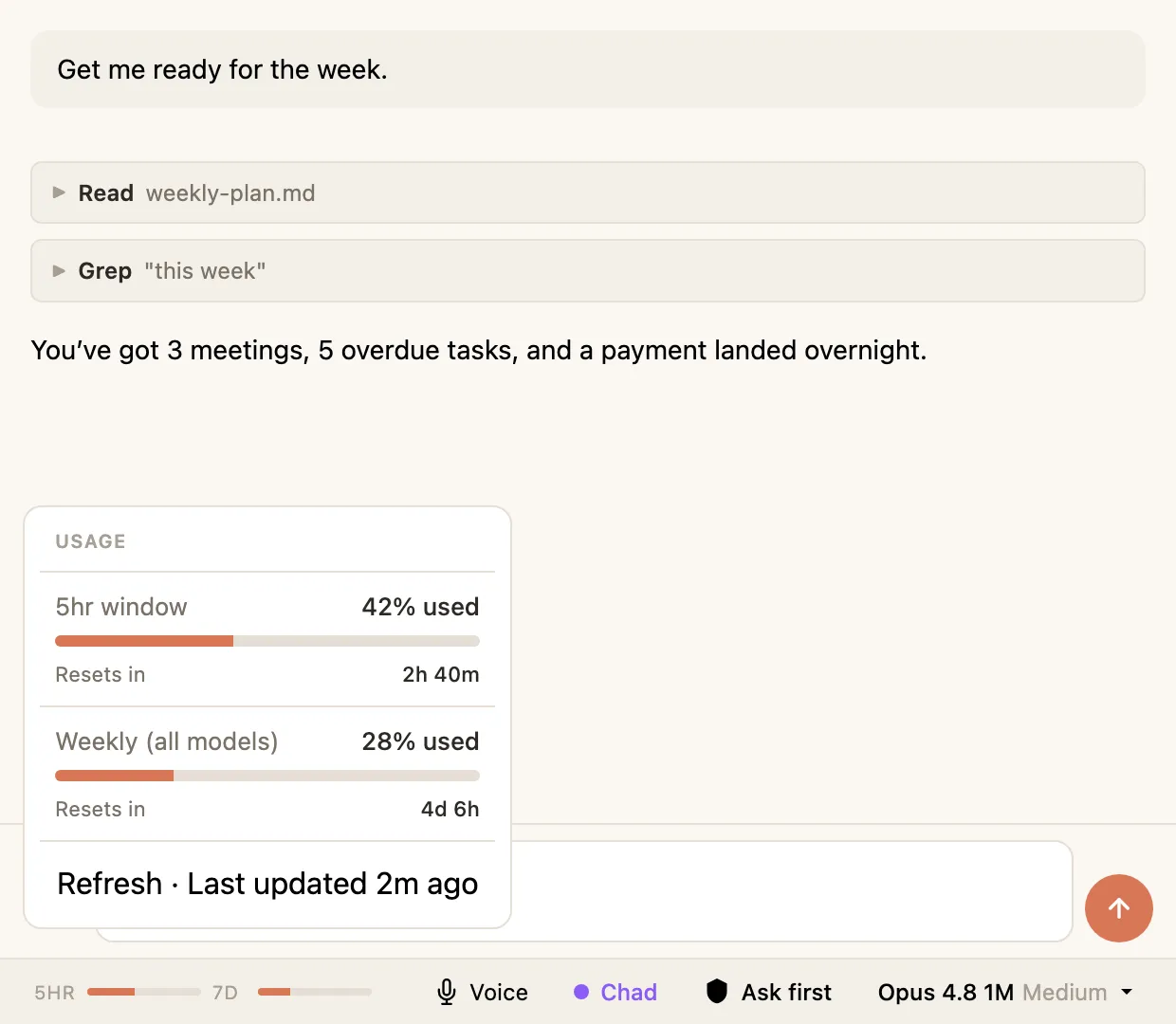
The two bars
Section titled “The two bars”In the status bar you’ll see two small meters:
- 5HR — how much you’ve used in the current five-hour window. Claude’s usage works in rolling five-hour blocks, and this shows how full the current one is.
- 7D — how much you’ve used over the rolling seven days.
Between them, you can see both whether you’re about to hit a short-term wall and whether you’re burning through your weekly allowance too fast.
The full breakdown
Section titled “The full breakdown”Click the bars to open a fuller panel with the detail behind them, including when each window resets. Handy when a bar’s looking full and you want to know how long until it frees up. You can also type /usage in a conversation to see the same thing.
The Fable bar
Section titled “The Fable bar”If you use the Fable model, you’ll notice it has its own separate bar. That’s because Fable draws from a different slice of your weekly limit and burns through it faster than the other models. Keeping it separate means using Fable doesn’t quietly eat the allowance you use for everything else — and you can see exactly how much Fable you’ve got left.