
Choosing a model
Hyo lets you choose which Claude model handles a conversation. You change it from the model picker in the status bar, and each tab can use a different one.
Here are the models built in, and when each one earns its keep.
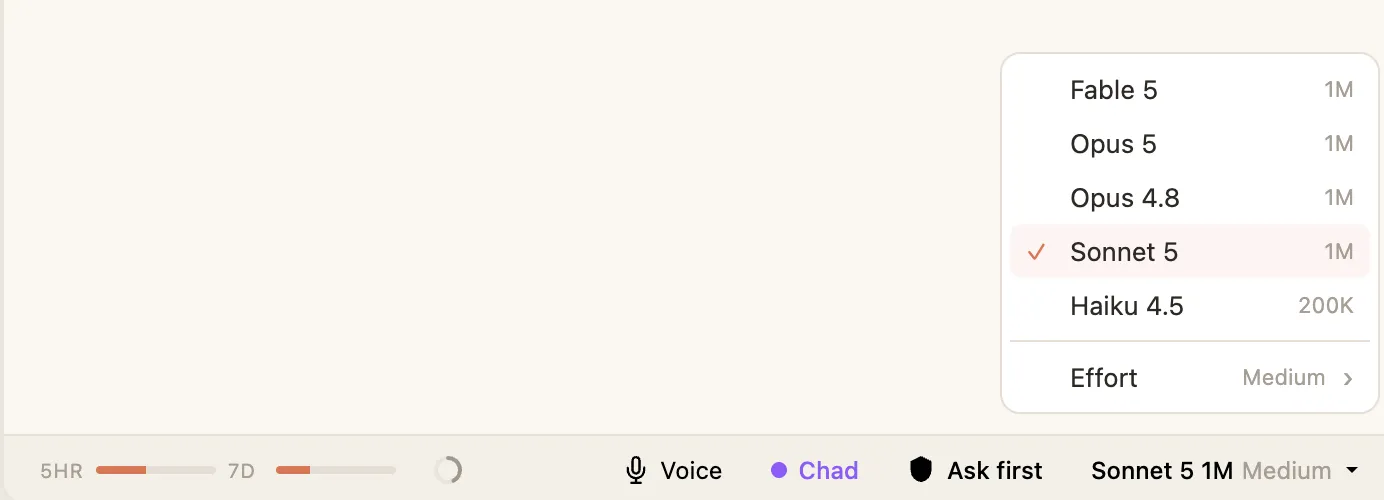
The models
Section titled “The models”| Model | Best for |
|---|---|
| Opus 5 | The heaviest thinking. Reach for it when the work is genuinely hard and you want the most capable model, and don’t mind it being slower. |
| Opus 4.8 | The previous top model, still excellent. A strong choice for demanding work. |
| Sonnet 5 | The everyday default. Fast, very capable, and the right choice for most of what you’ll do. This is what Hyo starts on. |
| Haiku 4.5 | The quickest and lightest. Good for simple, fast jobs where you don’t need deep reasoning. |
| Fable 5 | Anthropic’s most capable model. The one to bring out for the most demanding work. Note it draws from a separate, faster-burning slice of your plan — see usage. |
If you’re not sure, stay on Sonnet 5. It handles the vast majority of work well, and you can always switch up for something harder.
Context: how much it can hold at once
Section titled “Context: how much it can hold at once”In the picker you’ll see a context size next to each model, like 1M or 200K. That’s how much a single conversation can hold before Hyo has to start tidying it — think of it as the size of the agent’s working memory.
- Opus 5, Opus 4.8, Sonnet 5, and Fable 5 run at 1M — a very large memory, good for long conversations and big documents.
- Haiku 4.5 runs at 200K — still plenty for most things, just smaller.
You don’t have to manage this yourself. Hyo tracks it with the context ring and handles it for you.
Adding another model
Section titled “Adding another model”If there’s a specific model you want that isn’t in the list, you can add it by its ID using the Custom model ID field in the picker. It’s saved into your own list and you can manage or remove it later under Settings → Custom models. Most people never need this.