
Permission modes
Your agent can do real things in your vault — edit notes, run tools, make changes. Permission modes decide how much it checks with you first. This is the setting to understand, because it’s the difference between an agent that asks before every move and one that just gets on with it.
You set it from the status bar, and it’s per-tab.
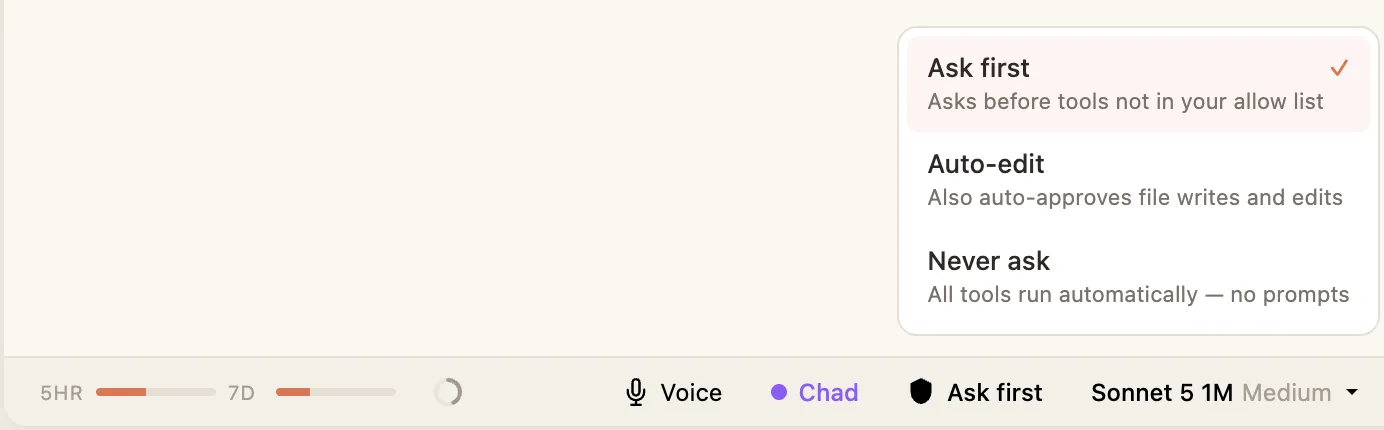
The three modes
Section titled “The three modes”Ask first
Section titled “Ask first”Your agent asks your permission before it does anything that changes something. A little prompt appears right in the chat, and you approve or deny it. Nothing happens to your notes without your say-so.
This is the default, and it’s the safest place to start — especially while you’re getting a feel for how your agent works.
Auto-edit
Section titled “Auto-edit”Your agent can edit files on its own without asking each time, but still checks with you for anything bigger. Good once you trust it with your notes and the constant approving is slowing you down.
Never ask
Section titled “Never ask”Your agent does whatever the task needs without stopping to ask. Fastest, and hands-off — you’re letting it run. Use it when you know what you’ve asked for and you want it done without babysitting. (In settings, this mode is called “Bypass all”.)
How the prompts work
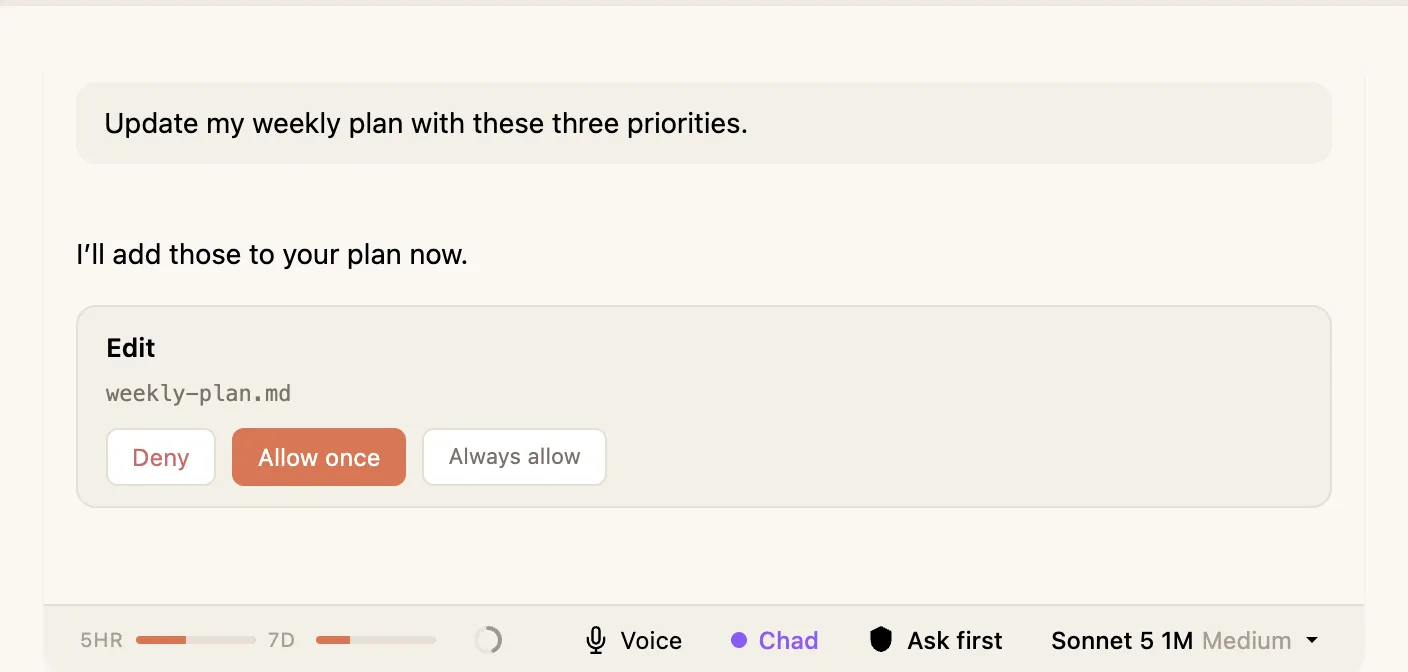
Section titled “How the prompts work”In Ask first, when your agent wants to do something it needs permission for, you’ll see the request inline in the conversation with buttons to allow or deny. You can also choose to always allow a particular kind of action, so you’re not asked for that same thing again.
Which should you use?
Section titled “Which should you use?”Start on Ask first. As you get comfortable, move to Auto-edit for everyday work so you’re not approving every small change. Reach for Never ask when you want your agent to run a job end to end on its own.