
Connecting tools (MCP)
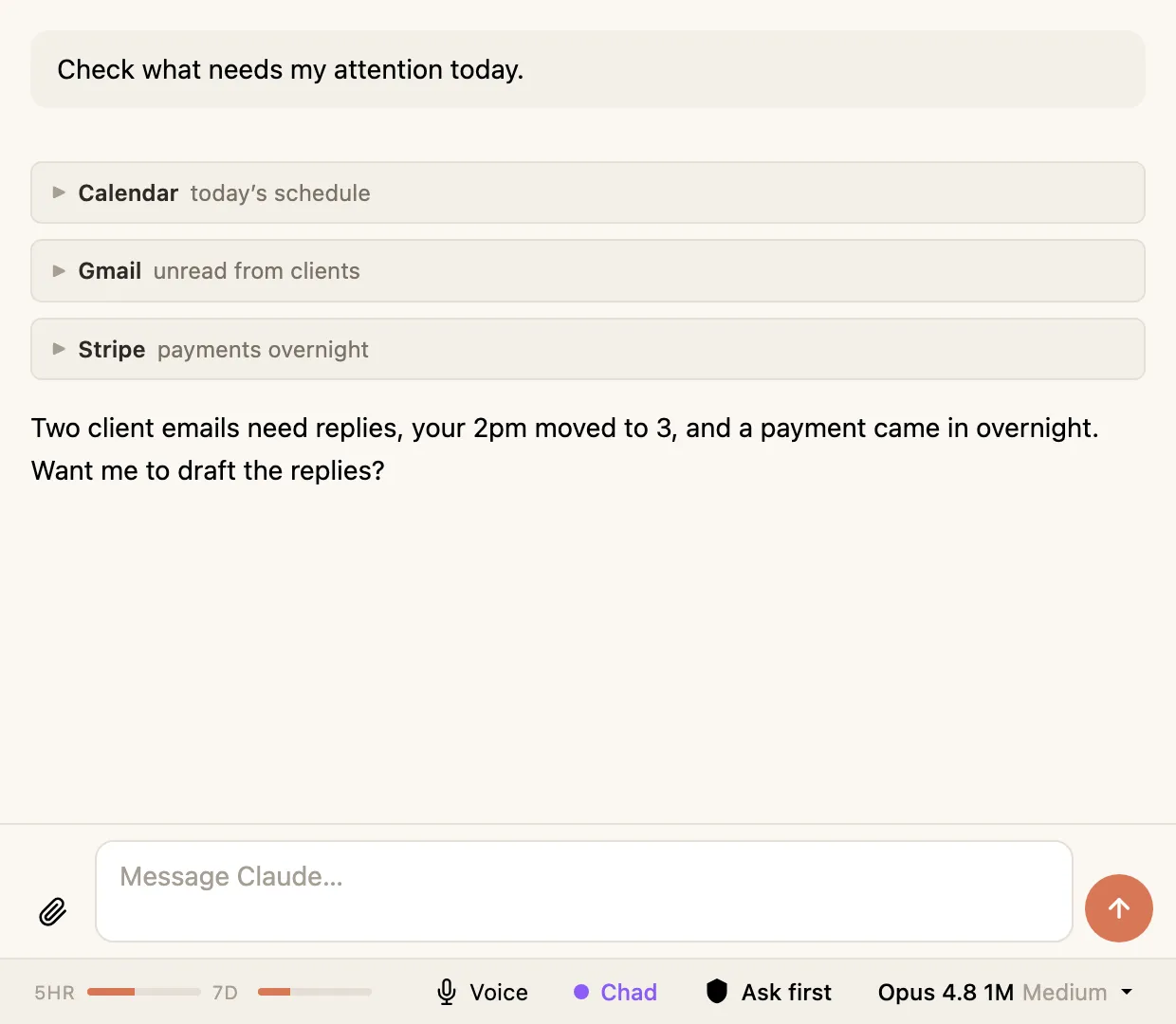
Your agent can do a lot inside your vault on its own. Connect some tools, and it can reach beyond your notes — into your calendar, your email, and other services you use.
What this is
Section titled “What this is”These connections use something called MCP (Model Context Protocol) — a standard way for an agent to plug into other tools. You don’t set them up inside Hyo. Hyo uses whatever MCP tools you’ve already connected to Claude, automatically — so once a tool is connected, your agent in Hyo can use it straight away.
So if you’ve connected your calendar, your agent can already check your schedule, add events, whatever the tool allows. Nothing extra to switch on in Hyo.
Setting them up
Section titled “Setting them up”There are two easy ways to connect a tool, and neither happens inside Hyo:
- In the Claude Desktop app. Claude Desktop has a settings screen for adding MCP connections. Set one up there and it’s available to your agent in Hyo.
- Ask your agent to do it. The simplest way — just tell your agent in a conversation “set up the [tool] MCP for me” and let it walk you through and wire it up.
Once a tool is connected either way, it’s ready in Hyo with nothing more to do.
Using them
Section titled “Using them”You don’t do anything special. Just ask. If your agent has a calendar tool connected, ask it what’s on this week and it’ll go and look. When it uses a connected tool, you’ll see that step in the conversation like any other, and depending on your permission mode it may check with you first.